Easily Control Websites with your MIDI Controller!

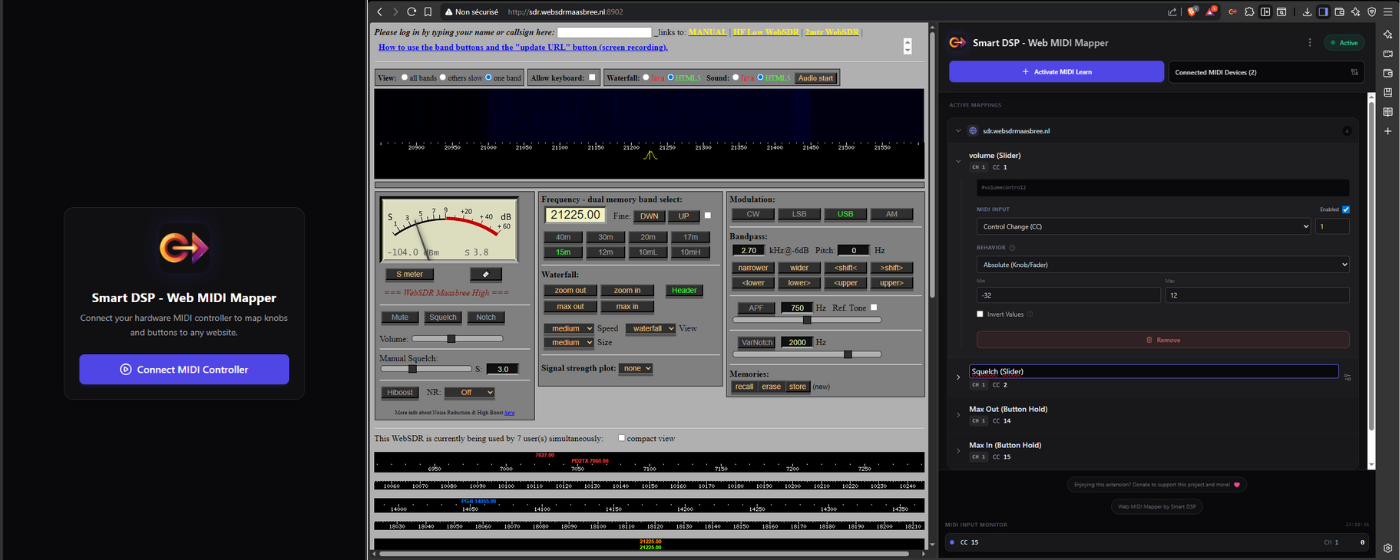
Web MIDI Mapper (WMM) is a free web browser extension allowing you to control on-page elements with your MIDI Controllers.
Get started in seconds thanks to our simple MIDI Learn workflow.
Although you can always expand the mapping editor to fine-tune the behavior, control range and more settings, individually for each mapping you create, on any website.
Key-Features:
- Instant Target Selection (no need to dive into any code!)
- DAW-style Simple MIDI Learn Mode
- Advanced MIDI Settings per individual mapping
- Multi-controller support
- Mappings Template Import/Export support
How to map MIDI controls to web page elements:
- Install the extension and pin it for easy 1-click access from the top left of your browser’s toolbar at any time in the future.
- Once on a website with elements you wish to map, open the extension and go through the 2-clicks authorization steps to allow access to your MIDI Controller.
- Click “Add Mapping” button to enter Target Mode: With your mouse cursor you can now hover different elements on your page and see them highlighted in orange, click to select a target to map.
- Once an element is targeted, simply move the MIDI control you wish to assign to it, the extension will learn and store the link.
- You can expand the created mapping entry listed in the extension panel to access advanced settings: change control type (slider vs. button), control range to match the one of the mapped element for more accuracy, invert, enable/disable without deleting, delete…
Note that the elements you wish to control needs to be individually exposed in the code.
Otherwise you may not be able to target them.
Based on how websites are made, not everything might be controllable via MIDI.
However it works great with most online synths, volume, sliders, WebSDR interface and similar applications.
Free Extension Compatible with Chrome and all Chromium based browsers.
Made with love for the community!
Privacy & Integrity matter to us:
- We do not collect any user data or any analytics tracking inside the extension.
- MIDI data is processed locally within the browser.
- Mappings are stored locally on the user’s machine (Export/Import of JSON files).
- No data is sent to any external servers.